How To Check Green Tractor Scheme Balloting Result In 2026
How To Check Green Tractor Scheme Balloting Result is the first thing thousands of farmers search for when the Punjab government announces the new winners in 2026.
Getting selected in this scheme can change a farmer’s life. A subsidized tractor helps reduce hard labor, saves time, and increases crop yield. But after applying, the most important step is checking whether your name appears in the official list or not. Many people get confused by different websites, fake lists, and social media rumors.
This complete guide explains everything in a clear and simple way so you can confirm your status without stress. From online checking to CNIC verification, official portals, and what to do after winning, all the important details are covered here.
Understanding the Green Tractor Scheme in 2026
The Green Tractor Scheme is a Punjab government program designed to support small and medium farmers. Under this scheme, selected farmers receive tractors at a highly subsidized price. The aim is to boost agricultural productivity and improve rural livelihoods.
In 2026, the program has become more organized and transparent. Digital balloting, online records, and real-time updates ensure fairness and easy access for everyone.
The most awaited part of the program is the Balloting Result 2026, which decides who will get the tractors.
Who Is Eligible
To apply for this scheme, farmers must meet certain criteria, including:
- Must be a resident of Punjab
- Must own agricultural land
- CNIC must be valid and registered
- Must not have received a tractor from a similar government scheme before
Only those who fulfilled these requirements and submitted a correct application were included in the balloting.

How To Check Green Tractor Scheme Balloting Result Online
How To Check Green Tractor Scheme Balloting Result has become easier in 2026 because the government introduced a fully digital verification system.
Instead of visiting offices, farmers can now check their status online from their mobile or computer.
Here is how it works in simple steps.
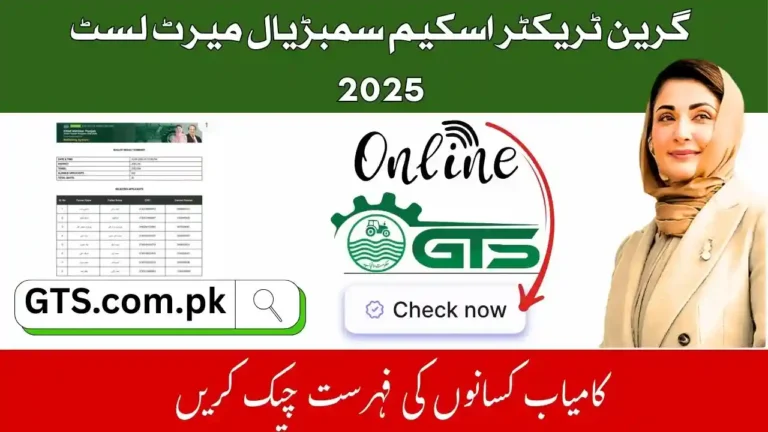
Step 1: Visit the Official Portal
Go to the official GTS Portal using a trusted browser. This is the only authentic website for checking results. Avoid clicking on links shared in WhatsApp groups or Facebook comments.
Step 2: Enter Your CNIC
Look for the CNIC Result Check option on the website. Enter your 13-digit CNIC number without dashes.
Step 3: Submit and View Result
Click the submit or search button. The system will show whether you are selected, rejected, or under verification.
If you are selected, your details will appear in the Green Tractor Winner List.

Different Result Categories Explained
Not everyone will see “Selected” on the screen. The system shows different statuses based on your application.
| Status Shown | Meaning |
|---|---|
| Selected | You are approved to receive a tractor |
| Not Selected | You were not chosen in this balloting |
| Under Verification | Your data is being reviewed |
| Invalid CNIC | Your CNIC or record has an issue |
If your result is under verification, you should wait for a few days and check again through the GTS Portal.

Checking Results Through District Offices
Although the online system is the fastest, some farmers still prefer visiting local agriculture offices. District offices receive the official Punjab Tractor Result list after balloting.
You can visit your nearest office with your CNIC and application number to confirm your result.
However, online checking is more accurate and updated in real time.

GTS Phase 3 Result and What It Means
The government divided the 2026 tractor distribution into phases. The most important one is the GTS Phase 3 Result, which covers the largest number of applicants.
If your name does not appear in Phase 3, you may still be considered for the next phase if more tractors become available.
Always check the portal regularly for updates.
How To Check Green Tractor Scheme Balloting Result Using SMS
Some farmers do not have access to the internet. For them, the government offers an SMS service.
Here is how to use it:
- Open your phone’s message app
- Type your CNIC number
- Send it to the official GTS SMS number
- Wait for a reply
The reply will tell you if your name is included in the Green Tractor Winner List or not.
This method is especially useful in rural areas.
Common Problems While Checking Results
Sometimes, users face issues while checking their result online. The most common ones include:
- Website not loading
- CNIC not found
- Wrong result showing
Most of these problems are temporary and related to high traffic. Try again after some time or use a different browser.
If the issue continues, contact the support team listed on the GTS Portal.
What To Do After You Are Selected
If your status shows selected, congratulations. But there are still a few steps left.
| Step | What You Must Do |
|---|---|
| Document Verification | Visit the agriculture office with CNIC and land papers |
| Payment | Pay the subsidized amount |
| Tractor Allocation | Receive tractor details and delivery date |
| Final Handover | Collect your tractor from the approved dealer |
Make sure you complete these steps within the given time. Failure to do so may cancel your selection.
How To Check Green Tractor Scheme Balloting Result Without Application Number
Many farmers lose their application number. In 2026, that is not a big issue anymore.
You can still use CNIC Result Check to find your status. The system links all records with your CNIC, so it does not require any other information.
This makes How To Check Green Tractor Scheme Balloting Result much easier and more accessible for everyone.
Avoid Fake Lists and Scams
During result season, many fake websites and social media pages claim to have the final Punjab Tractor Result. These lists are often false.
Only trust:
- The official GTS Portal
- SMS received from the government
- Notices from district agriculture offices
Never pay anyone to “guarantee” selection. The balloting is completely random and transparent.
How To Check Green Tractor Scheme Balloting Result for Family Members
If someone in your family also applied, you can check their result using their CNIC.
Simply repeat the same process for each CNIC. The system will show separate results for each applicant.
This is helpful for families where more than one farmer applied.
Why Some Applications Get Rejected
Applications are rejected for several reasons, such as:
- Incorrect CNIC
- Duplicate application
- Land record mismatch
- Not meeting eligibility
If your application was rejected, you may apply again in the next scheme if you fix the issues.
Future Phases and Waiting List
Not everyone gets selected in the first balloting. The government usually creates a waiting list. If some selected farmers do not complete the process, tractors are given to waiting list candidates.
So keep checking the GTS Phase 3 Result and later updates on the GTS Portal.
FAQs
How often should I check my result?
You should check every few days after the result announcement because updates are added regularly.
Can I appeal if my name is not in the winner list?
Yes, you can submit a complaint at your district agriculture office.
Is the online result final?
Yes, the online result shown on the GTS Portal is the official record.
What documents are needed after selection?
You will need CNIC, land ownership papers, and payment proof.
Conclusion
How To Check Green Tractor Scheme Balloting Result is simple in 2026 if you follow the official process and avoid fake sources. By using your CNIC on the government portal or SMS service, you can quickly confirm whether your name is in the winner list. Always stay updated through official channels, complete your verification on time, and keep checking for future phases if you are not selected this time.