

GTS Phase 3 OTP Not Received? Easy Solution Explained
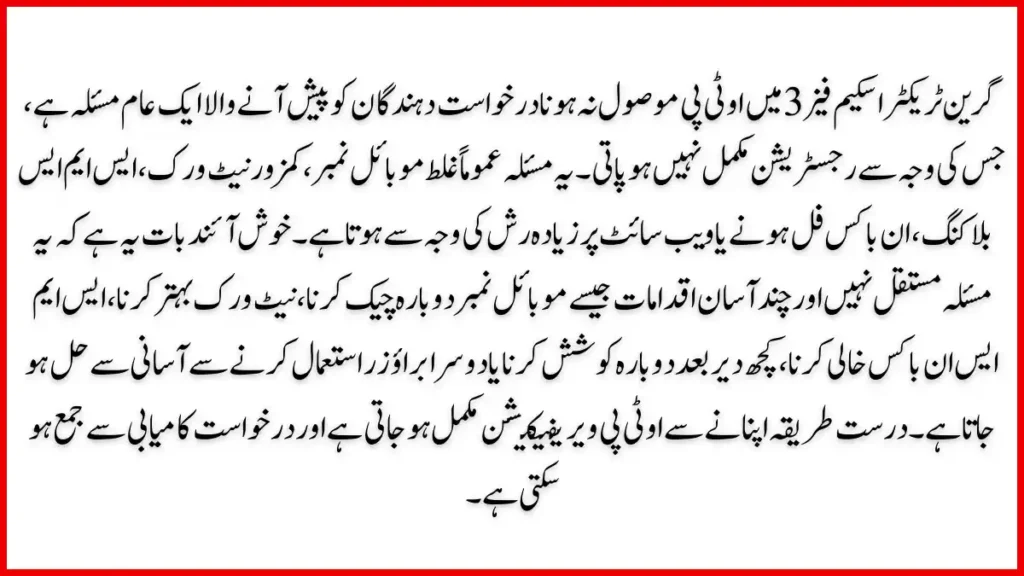
GTS Phase 3 OTP not received is one of the most common problems faced by applicants of the Green Tractor Scheme Phase 3. Many users successfully complete registration details but get stuck at the OTP verification step. This issue can be frustrating, especially when deadlines are close and the website keeps showing an OTP verification error.
The good news is that the GTS Phase 3 OTP problem solution is simple if you understand the real reasons behind it. In this guide, you will learn why the Green Tractor Scheme Phase 3 OTP not received issue happens and how to fix it step by step using easy, human-friendly solutions.
What Is GTS Phase 3 and Why OTP Is Important
The Green Tractor Scheme Phase 3 is a government initiative designed to support farmers by providing tractors at subsidized rates. To ensure transparency and security, the system uses mobile OTP verification during registration and login.
OTP plays a critical role because:
- It confirms your mobile number
- It prevents fake registrations
- It secures your application data
- It allows access to your GTS account
When the GTS Phase 3 registration OTP issue occurs, the system cannot verify your identity, and your registration remains incomplete.

Common Reasons for GTS Phase 3 OTP Not Received
Understanding the root cause is the first step toward fixing the problem. Below are the most common reasons users face the GTS Phase 3 OTP not received issue.
Incorrect Mobile Number Entry
Many users mistakenly enter the wrong mobile number or miss a digit during registration. Even a small typing error means the OTP will be sent to a different number.
Network or Signal Issues
Weak mobile signals or poor network coverage can delay or block SMS delivery. This is one of the most frequent causes of SMS OTP problems in rural areas.
SMS Inbox Full
If your SMS inbox is full, your phone may stop receiving new messages. This causes OTP verification errors even when the system sends the code correctly.
DND or SMS Blocking Enabled
Some mobile numbers have promotional SMS blocking or DND services activated, which can block OTP messages.
High Traffic on GTS Portal
During peak registration days, the GTS portal experiences heavy traffic. This can delay OTP generation or delivery.
SIM Not Registered on CNIC
If your SIM is not registered under your CNIC, the system may reject OTP delivery for security reasons.

GTS Phase 3 OTP Problem Solution Step by Step
Below is a complete and easy solution to fix the GTS Phase 3 OTP not received issue without technical knowledge.
Step 1: Recheck Your Mobile Number
Before requesting OTP again:
- Confirm the mobile number is correct
- Ensure it starts with the correct network code
- Use the same number registered with your CNIC
Step 2: Improve Network Signal
Move to an area with strong mobile coverage. Avoid basements or indoor areas with weak signals. If possible, switch to outdoor space before requesting OTP.
Step 3: Clear SMS Inbox
Delete unnecessary messages from your phone to free up space. Restart your phone after clearing messages to refresh network services.
Step 4: Turn Off DND or SMS Filters
Check your phone settings and disable:
- Spam filters
- Promotional SMS blocking
- Do Not Disturb mode
This simple step fixes many mobile OTP fix issues instantly.
Step 5: Wait and Retry After Some Time
If the portal is overloaded, wait 10–15 minutes before retrying. Avoid pressing the resend button repeatedly, as it may temporarily block OTP requests.
Step 6: Use a Different Browser or Device
Sometimes the issue is browser-related. Try:
- Google Chrome (latest version)
- Mozilla Firefox
- Another mobile device
This also helps resolve GTS login issues linked to OTP errors.

Quick Troubleshooting Table for OTP Issues
| Problem | Easy Solution |
|---|---|
| OTP not received | Check network and retry after 10 minutes |
| Wrong OTP error | Clear cache and request new OTP |
| SMS delayed | Restart phone and improve signal |
| OTP blocked | Avoid multiple resend attempts |
| Registration stuck | Use different browser or device |

How to Avoid OTP Verification Error in Future
Prevention is always better than fixing the problem later. Follow these tips to avoid OTP issues during GTS Phase 3 registration.
Use One Active SIM Only
Avoid switching SIMs during registration. Always use the same active number until your application is complete.
Keep Phone Powered On
Make sure your phone is fully charged and not in airplane mode when requesting OTP.
Avoid Peak Hours
Try registering early morning or late night when traffic on the GTS portal is lower.
Save OTP Immediately
Once received, enter the OTP promptly. OTPs usually expire within a few minutes.
GTS Phase 3 Registration OTP Issue for Different Mobile Networks
Sometimes the OTP issue depends on the mobile network provider. Below is a helpful comparison table.
| Network | Common Issue | Recommended Fix |
|---|---|---|
| Jazz | SMS delay | Restart phone, wait 5 minutes |
| Zong | OTP blocked | Disable SMS filter |
| Ufone | Network drop | Change location |
| Telenor | OTP expired | Request new OTP after delay |
What to Do If OTP Still Not Received
If none of the above solutions work, do not panic. There are still options available.
Contact Official GTS Support
Use the official Green Tractor Scheme helpline or support email to report your issue. Provide:
- CNIC number
- Registered mobile number
- Screenshot of error (if possible)
Visit Agriculture Office
If online methods fail, visit your nearest agriculture department office. They can guide you with registration help or manual verification options.
Avoid Fake Agents
Never share your CNIC or OTP with third parties or agents claiming quick fixes. This can lead to fraud or application rejection.
GTS Login Issue Related to OTP
Many users confuse registration OTP problems with login OTP issues. Both are different.
Registration OTP Issue
Occurs during first-time sign-up when verifying your mobile number.
Login OTP Issue
Occurs when accessing your existing account. Usually fixed by clearing cache or resetting browser data.
Knowing the difference helps apply the correct GTS Phase 3 OTP problem solution quickly.
FAQs
Why am I not receiving OTP for GTS Phase 3?
This usually happens due to weak network signal, incorrect mobile number, SMS blocking, or high traffic on the GTS portal.
How long should I wait before resending OTP?
You should wait at least 10 to 15 minutes before requesting OTP again to avoid temporary blocking.
Can I change my mobile number if OTP is not received?
In most cases, changing the mobile number is not allowed after registration. You must use the same number linked to your CNIC.
Is GTS Phase 3 OTP problem permanent?
No, it is a temporary issue and can be fixed easily by following the solutions explained above.
Conclusion
The GTS Phase 3 OTP not received issue is common but completely solvable. Most problems occur due to simple reasons like network issues, SMS blocking, or portal traffic. By carefully following the steps explained in this guide, you can fix the Green Tractor Scheme Phase 3 OTP not received problem without stress.
Always double-check your mobile number, avoid multiple OTP requests, and stay patient during peak hours. If the issue continues, official support channels are the safest option. With the right approach, your GTS Phase 3 registration can be completed smoothly and successfully.